PMI – Project Management Institute
PMI chapters manage a wide range of events, portfolios, and volunteer activities — each requiring approvals, tracking, and reporting. However, managing all these processes manually led to inefficiencies, scattered data, and delays in communication. The PMI Web Application was conceptualized to digitize and centralize these chapter operations under one secure platform — connecting leaders, members, and volunteers through role-based workflows.
Core Problem
After stakeholder meetings and workflow analysis across different PMI portfolios, these issues were identified:
Multiple manual processes for event creation, volunteer approvals, and financial tracking
Fragmented data across spreadsheets and email chains
Lack of visibility for leaders managing their respective portfolios
Complex role hierarchy with unclear access control
No unified dashboard to view organizational performance or ongoing activitiesProject Process
UX Goals
Streamline event management, volunteer tracking, and financial operations
Design a role-based access system (RBAC) for various leadership portfolios
Build a centralized dashboard for leaders and members to manage data efficiently
Integrate approval workflows and real-time updates
Ensure a clean, intuitive, and accessible UI for all user rolesUI/UX Design
My Design Process
1. Discovery & Research
Conducted stakeholder interviews with leaders of different portfolios: Programs, Volunteers, Finance, Governance, and Secretary
Analyzed user stories and workflows from existing PMI chapter operations
Identified repetitive pain points such as delayed approvals, manual verification, and inconsistent volunteer tracking
2. Information Architecture
Defined modules: Dashboard, Events, Volunteers, Finance, Governance, Reports, Settings
Mapped RBAC (Role-Based Access Control) for roles like Leader, Member, Common User, and Admin
Developed navigation logic tailored for each portfolio’s functions
3. Wireframes & Prototyping
Created wireframes for leader and member dashboards in Figma
Prototyped workflows like event creation, volunteer verification, and refund approvals
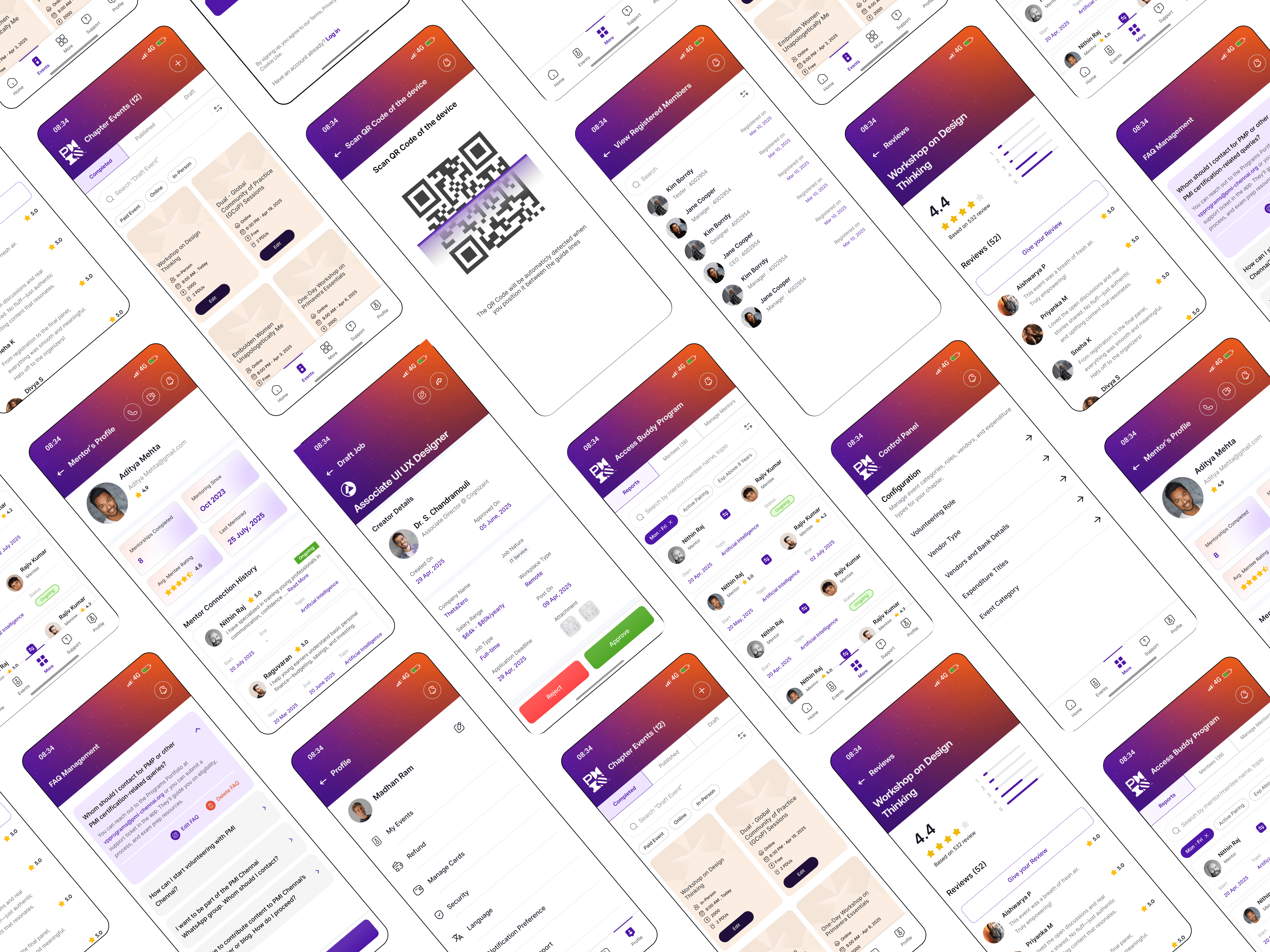
Conducted usability testing sessions with mock user data for feedback
4. Key UX Features Designed
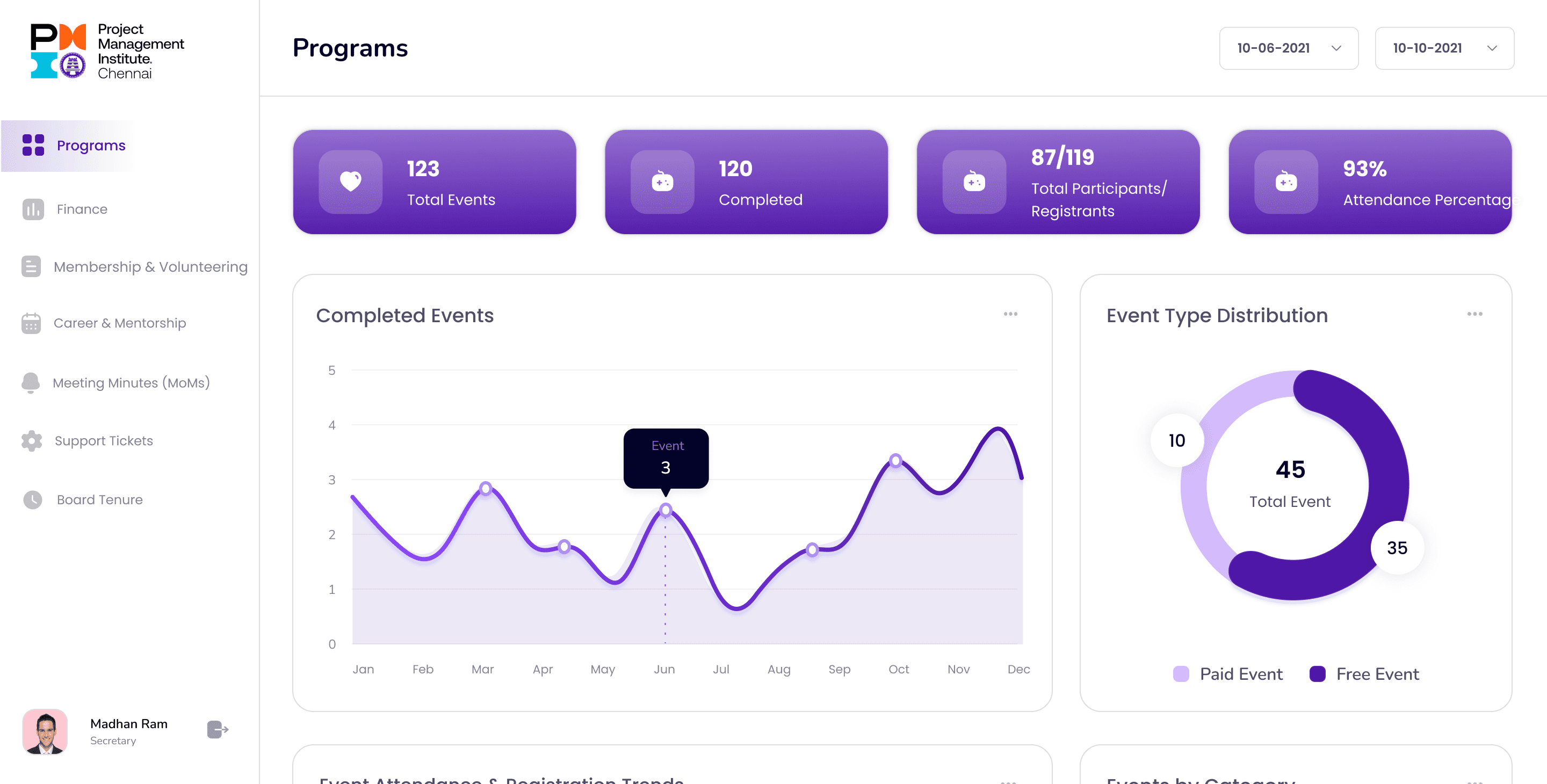
Leader Dashboard: Personalized summary view for ongoing events, volunteer hours, and finance approvals
Event Management: Manage event creation, publishing, and registration in one place
Volunteer Flow: Multi-level approval system (First-level verification, final recording)
Finance Tools: Manage invoices, reimbursements, and export data reports
Governance & Secretary Views: Manage minutes of meetings, job postings, and internal communications
QR Code Attendance System: Quick volunteer check-in and check-out for events
Reusable UI Components: Built for scalability across portfolios and modules
Results & Impact
Improved transparency across multiple portfolios through a single dashboard
40% faster approval turnaround with automated workflows
Higher engagement among volunteers due to easy participation tracking
Reduced manual reporting by integrating real-time status updates
Consistent user experience achieved through design system reuse
What I Learned
Designing for institutional workflows like PMI requires balancing governance structure with usability
Role-based UX enhances security while providing clarity in navigation and task ownership
Thoughtful microinteractions (status indicators, approval notifications) increase overall adoption and trust
Project Takeaways
This project enhanced my expertise in designing for multi-role, governance-based systems.
I learned how to interpret complex user stories into simplified, role-driven UX flows, ensuring scalability, accessibility, and consistency within institutional ecosystems like PMI.